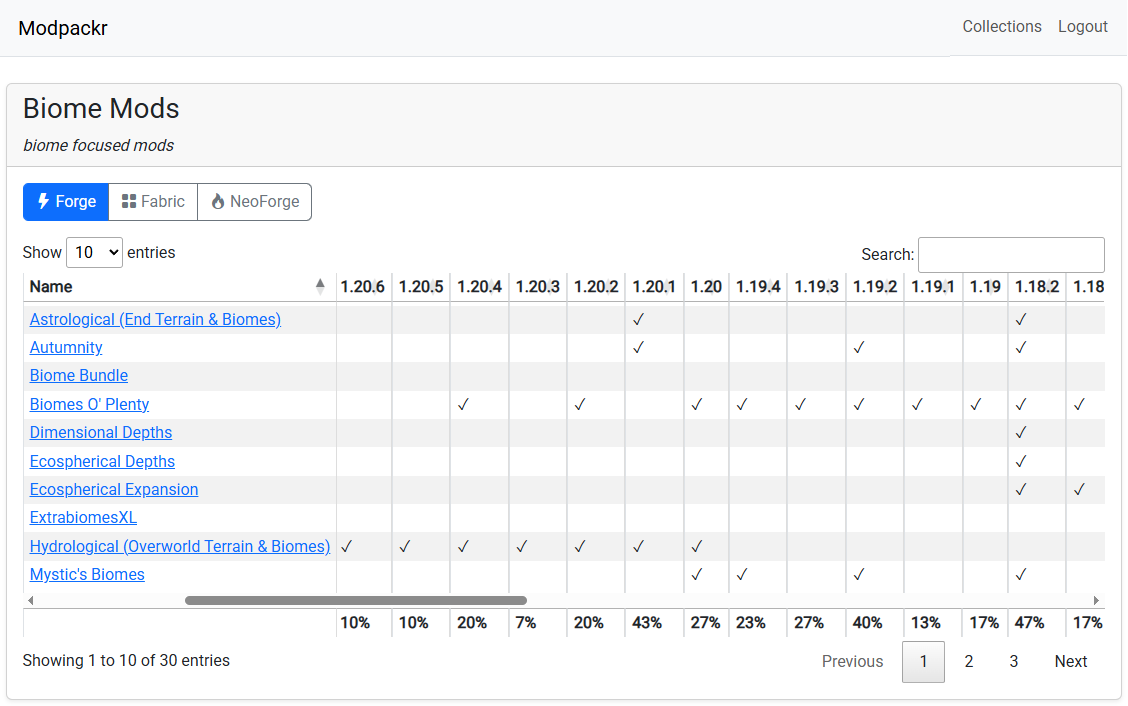
See Modpackr in Action
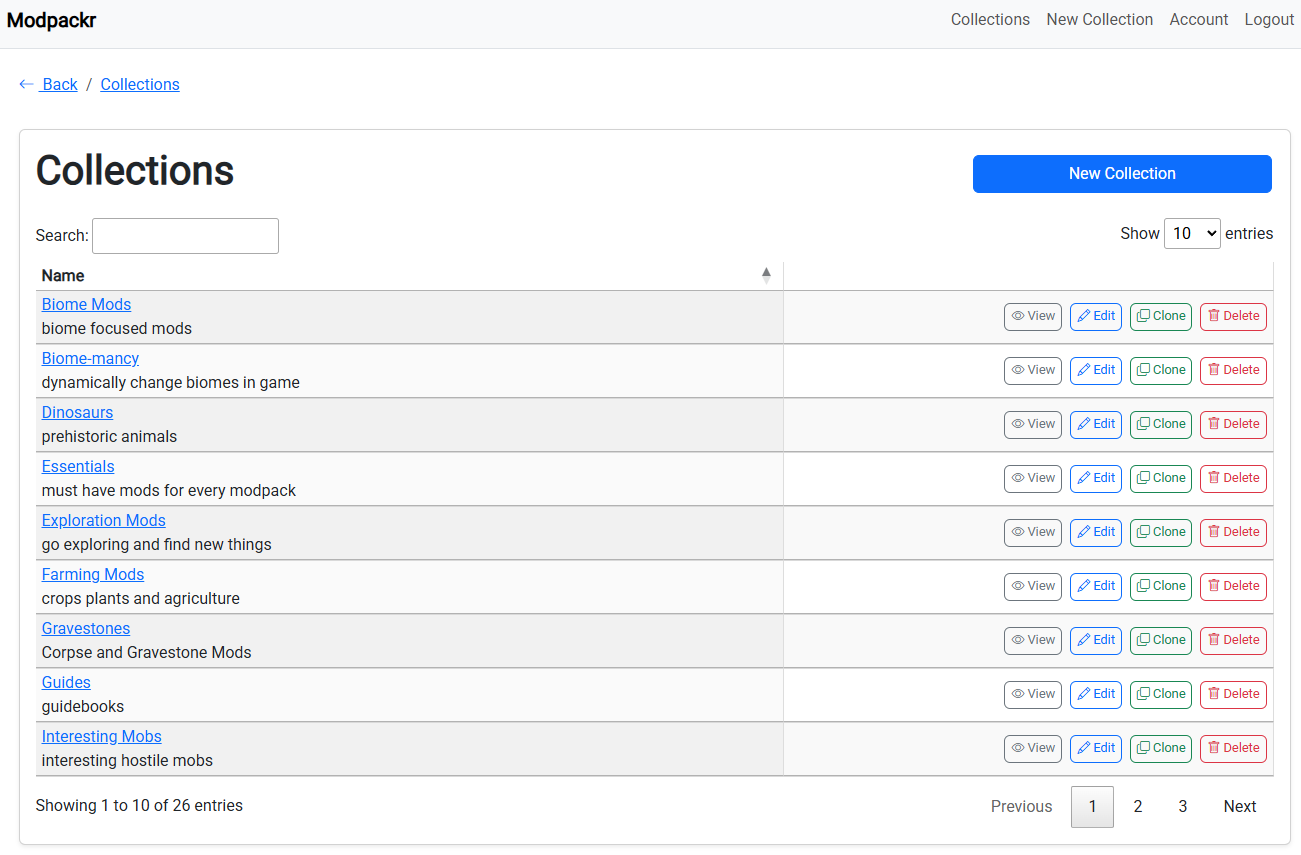
Organize your mods into clean, reusable collections
Paste your mod list to preview compatibility and get smart mod insights. No account required.
Want to do more? Create an account to save, organize, and manage your mod collections.
Unlock these powerful tools when you create a free Modpackr account:
Instantly see which Minecraft versions support your selected mods so you can choose the right game version confidently.
Group your favorite mods into custom collections to keep your modpacks neat, manageable, and ready to export.
Generate modpack manifests effortlessly, ready to use with popular Minecraft launchers without extra hassle.
Find and preview CurseForge mods seamlessly within the tool to build your collections faster
Organize your mods into clean, reusable collections
Modpackr allows you to create custom categories in which to organize mods you are interested in. It works like CurseForge's "favorites" feature, except that you can keep multiple lists.
Modpackr can also version check the mods in your lists to automatically report what versions of Minecraft your chosen mods are most compatible with.
Furthermore, Modpackr can export your collections as files ready to be imported into the CurseForge or Prism Launcher app for further customization.
(Additional launcher support coming soon)
Say goodbye to version headaches and spreadsheet chaos.
Sign Up Free